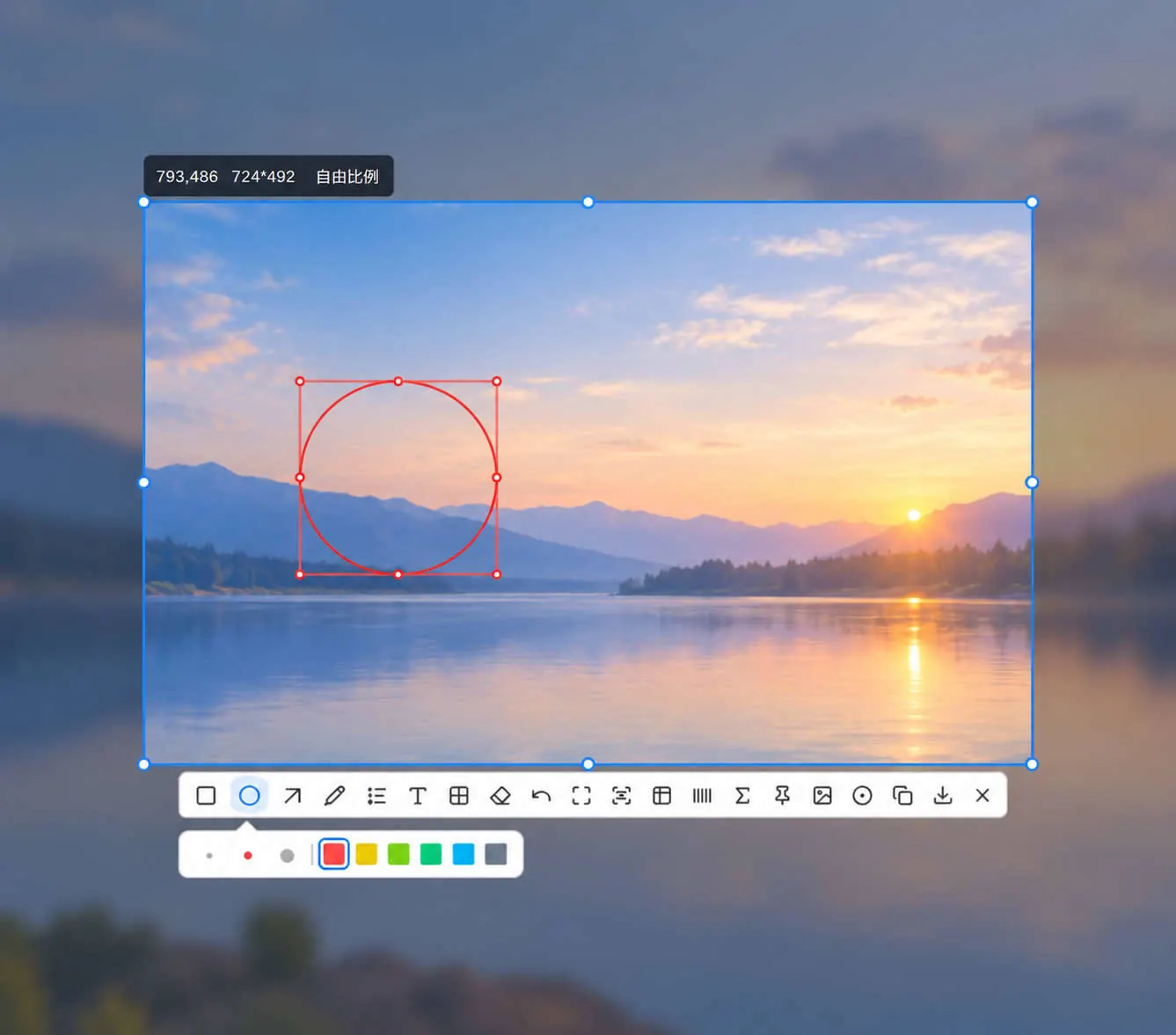
Quick capture
Press Alt + Q, drag, and release to annotate, copy, or save.
Also from the tray · Alt + W sets position and delay
Select, annotate, and record in the same window instead of switching apps for a single image.
Press Alt + Q, drag, and release to annotate, copy, or save.
Also from the tray · Alt + W sets position and delay
Start from the capture toolbar, with picture-in-picture, video or GIF, frame rate, system audio, and microphone.
Saved on this PC
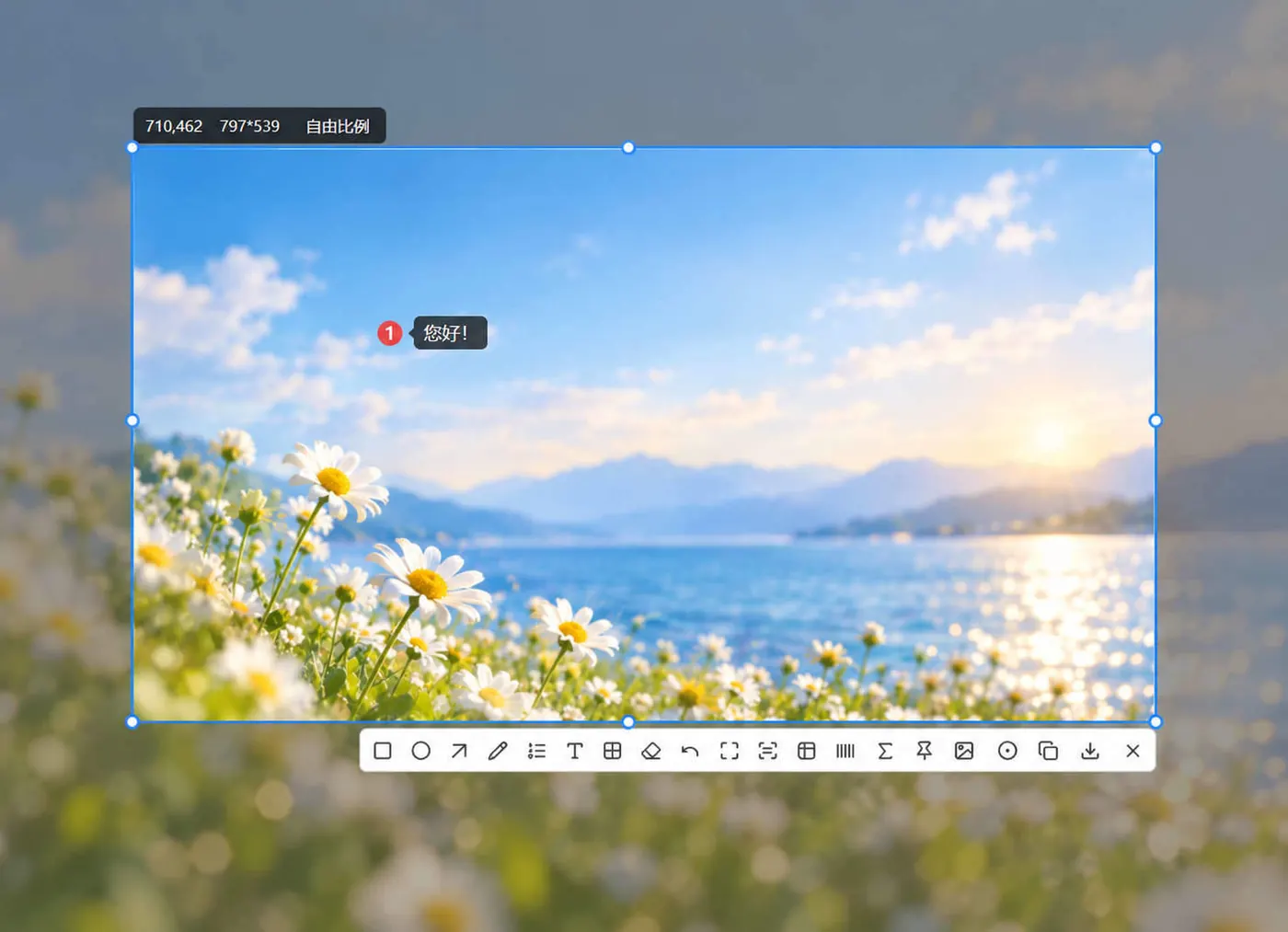
Rectangles, arrows, text, numbers, and mosaic are done in the preview, and you can undo.
Ctrl + Z undoes · then copy or save
Rectangles, ellipses, arrows, pen, text, and numbers are on the preview toolbar.
Mark steps with 1, 2, 3, cover sensitive areas with mosaic, then copy or save.
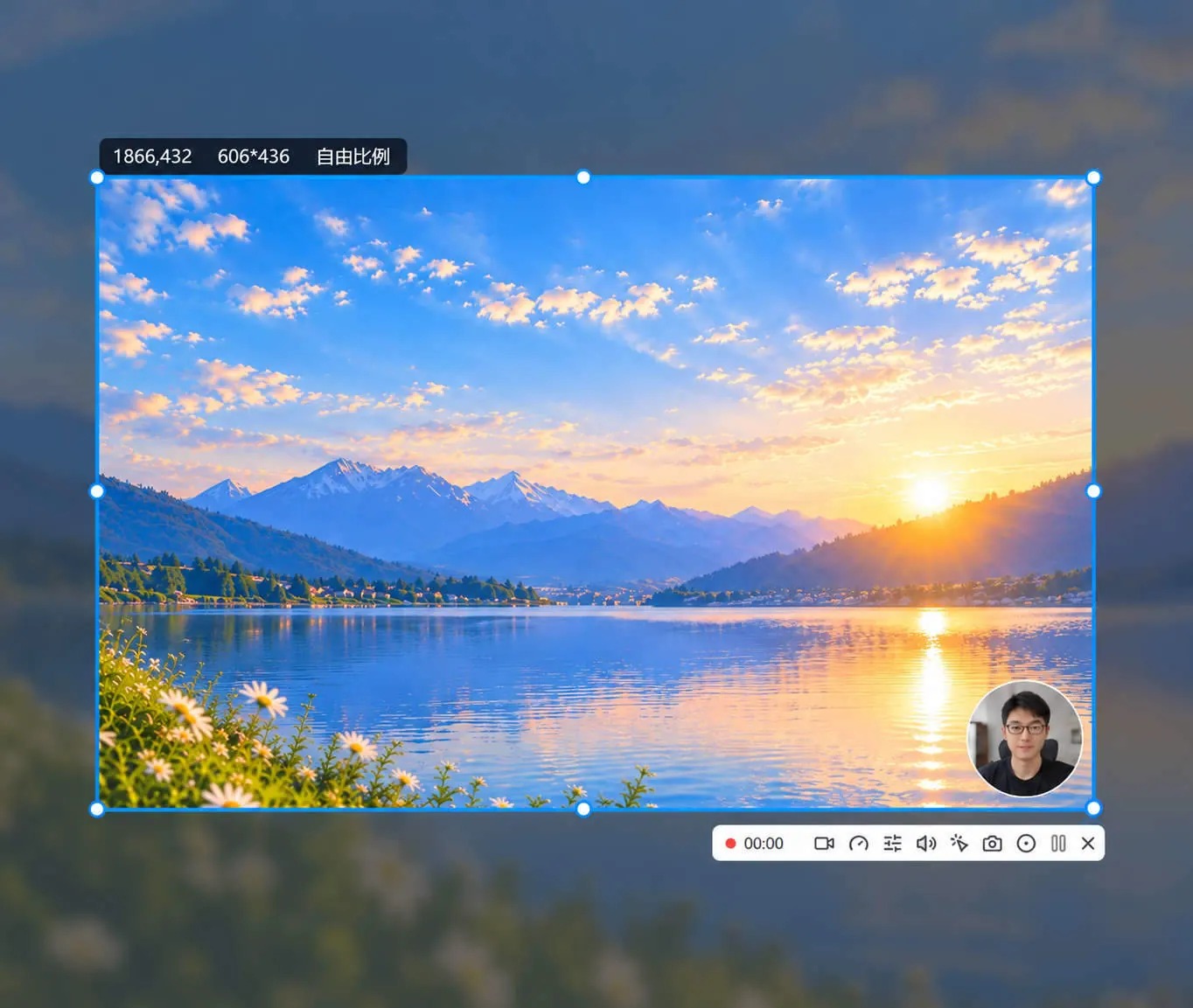
There is no separate global record shortcut. Click Record on the capture toolbar.
Add a picture-in-picture explanation, choose video or GIF, frame rate, system audio, and microphone. The file stays on this PC.
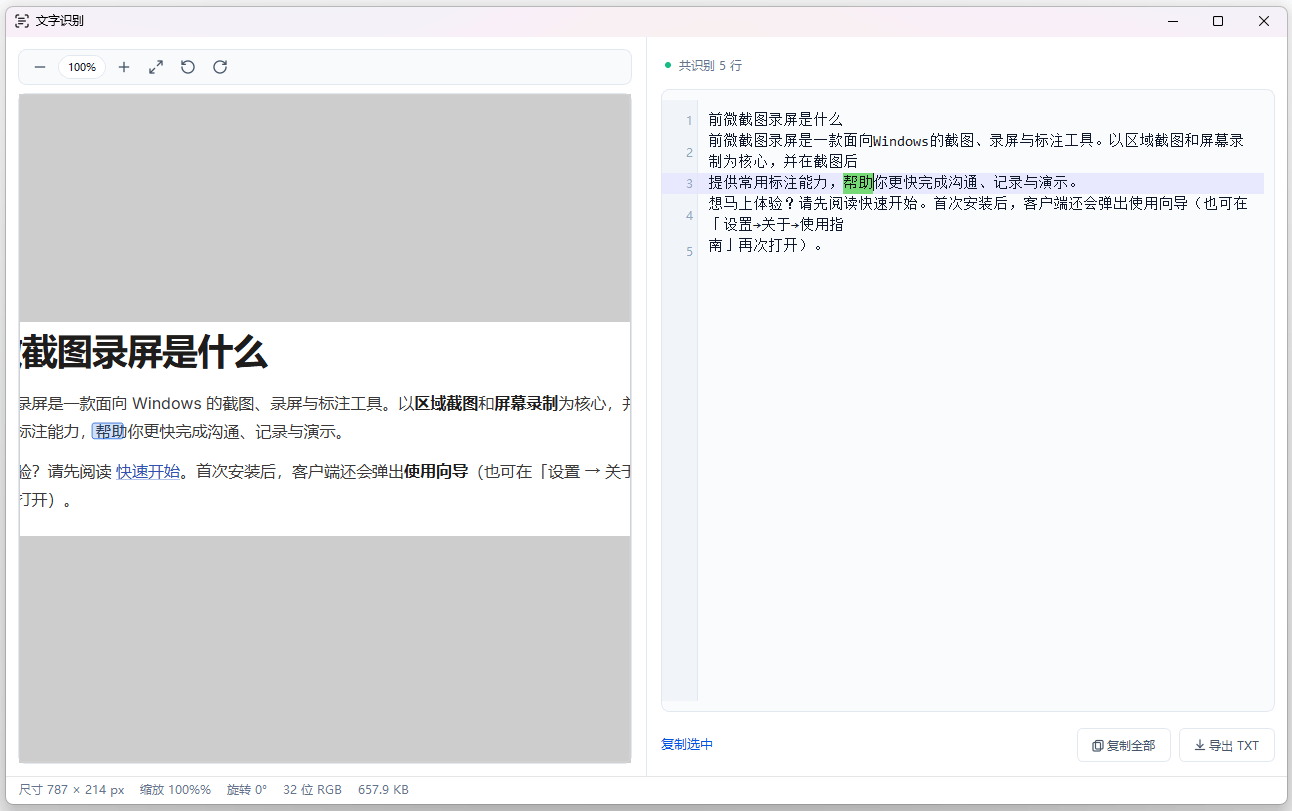
Read text line by line, copy a line or everything, or export TXT.
Useful for chats, error messages, and document snippets, without typing them again.
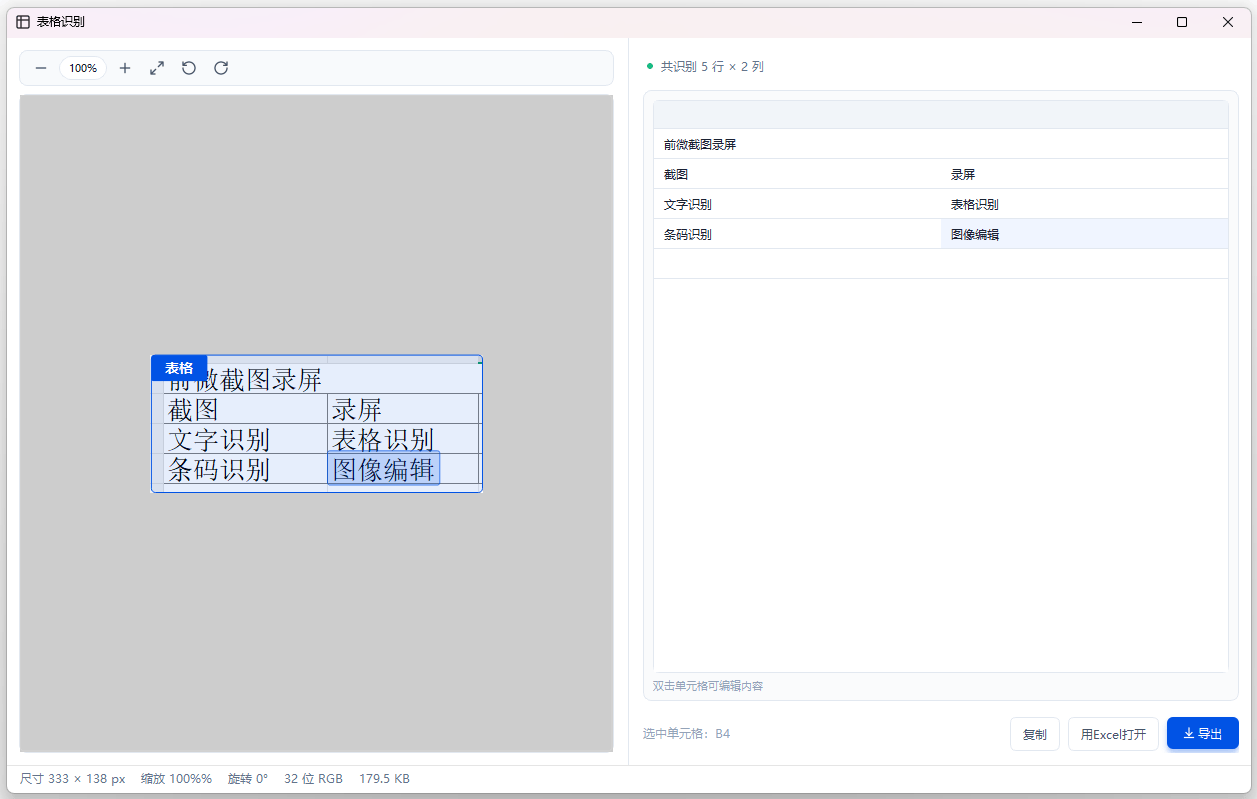
Rows and columns are detected, and cells can be edited.
Copy, open in Excel, or export.
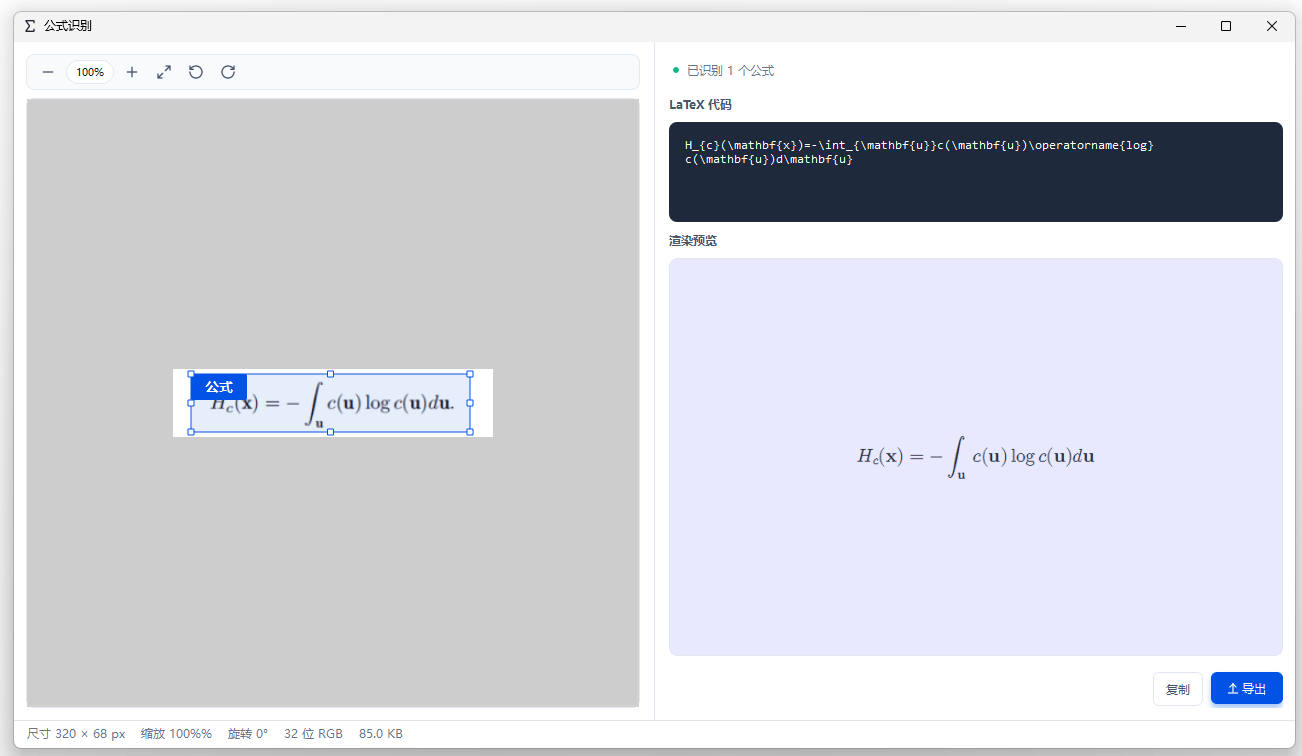
Formulas become LaTeX, with a rendered preview beside them.
Copy or export.
Download the Windows client. Select a region to capture, annotate, and record. Capture and recording stay on this PC and are not uploaded.
Download